Project description
Immersive Electrical Room (VR)
The drainage pump stopped. In the VR room, the trainee finds the drawer, reads the PLC ladder and the relay, warns the electrical team before touching anything and decides whether it can be restarted, away from an energized panel and as many times as needed.
- Role
- Project lead, with more experienced engineers on the script
- Period
- Sep 2026 – present
- Status
- in progress
- 3D and virtual reality
- Unity 6
- C#
- OpenXR
- XR Interaction Toolkit
- URP
- Meta Quest 3
- dotnet test
- Claude Code
- Codex
Evidence
1,081 domain tests, which run without opening Unity
dotnet test on October 15, 2026, with 2 skipped: the logic of the drawer, the relay and the ladder is plain C#. On the same day, 62 end-to-end tests in Unity (PlayMode), with 61 of 62 on the first run and 9 of 9 on the rerun of the intermittent one.
Measured.
72 FPS in 14 of 18 samples on the Quest 3
Measured on October 2, 2026, on a version earlier than the current one, with nobody wearing the headset: 9 stops around the room, two laps, telemetry over adb. The other 4 samples had isolated spikes of 28 to 83 ms, which I am still investigating; because of them, the project's criterion failed 3 of the 9 points.
Measured.
Mutation testing in every batch
Defects planted in the code, one at a time, to check that some test fails: 28 caught in the ladder batch and 14 in the handles batch, in October 2026. Counting tests does not prove that the training works.
Measured.
A test with the people who will use it
Not done yet. The feedback so far comes from one of the engineers who help with the script, who understood the flow by reading the room's board, and from my own tests in the headset.
To be measured.
The problem
In an electrical room, the panels are identical and stand side by side: whoever answers a call walks past a lot of panels before reaching theirs, and works close to energized equipment. For the automation technician, what matters is connecting what the relay shows to what the program does, and that is learned by looking at the panel and the diagram at the same time. That is what a VR room allows and a manual does not.
The Immersive Electrical Room brings that call into the headset: you can get it wrong, go back to the same point and train again, without switching anything off for real.
What the room is not
- It is not regulatory training: the focus is automation, reading the panel, the relay and the ladder.
- It does not simulate an arc flash or teach an electrical safety procedure; the video mentions the arc as a risk of any electrical room.
- It is not a replica of an installation: it is inspired by real rooms.
- It has no measured result with students. Some of the room’s texts are still small in the headset.
On screen
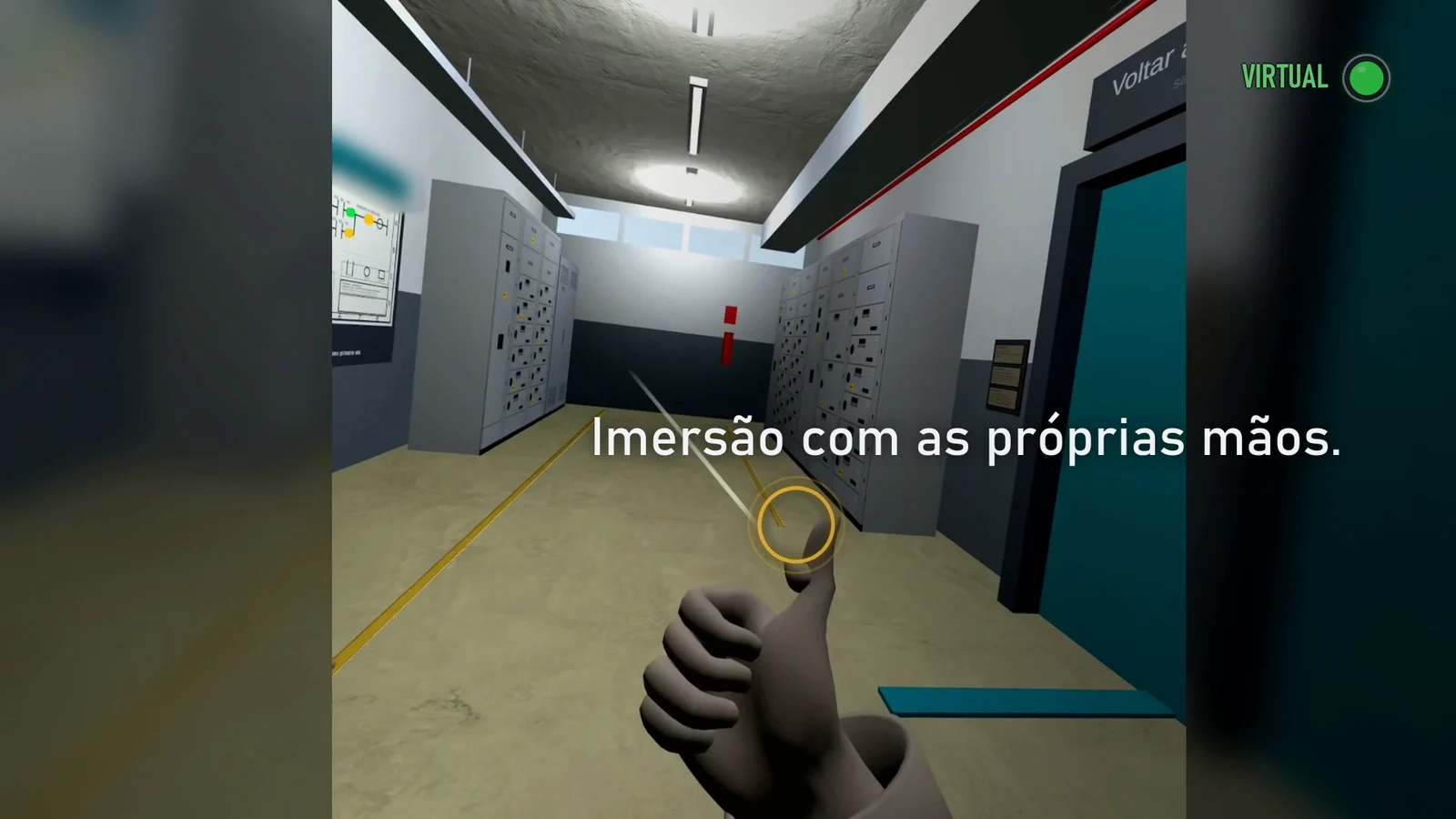
Tap outside the image to close it.
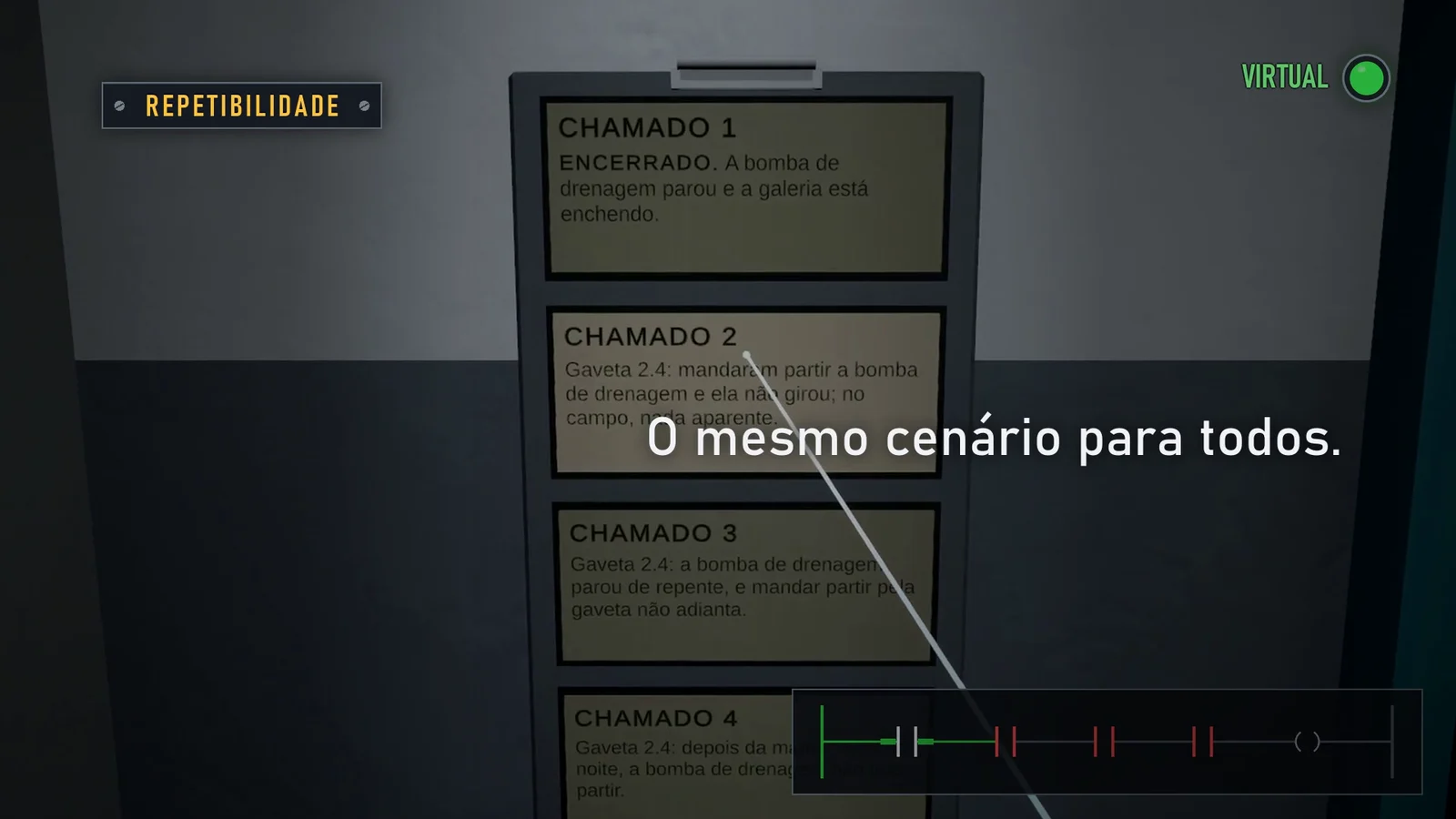
Tap outside the image to close it.
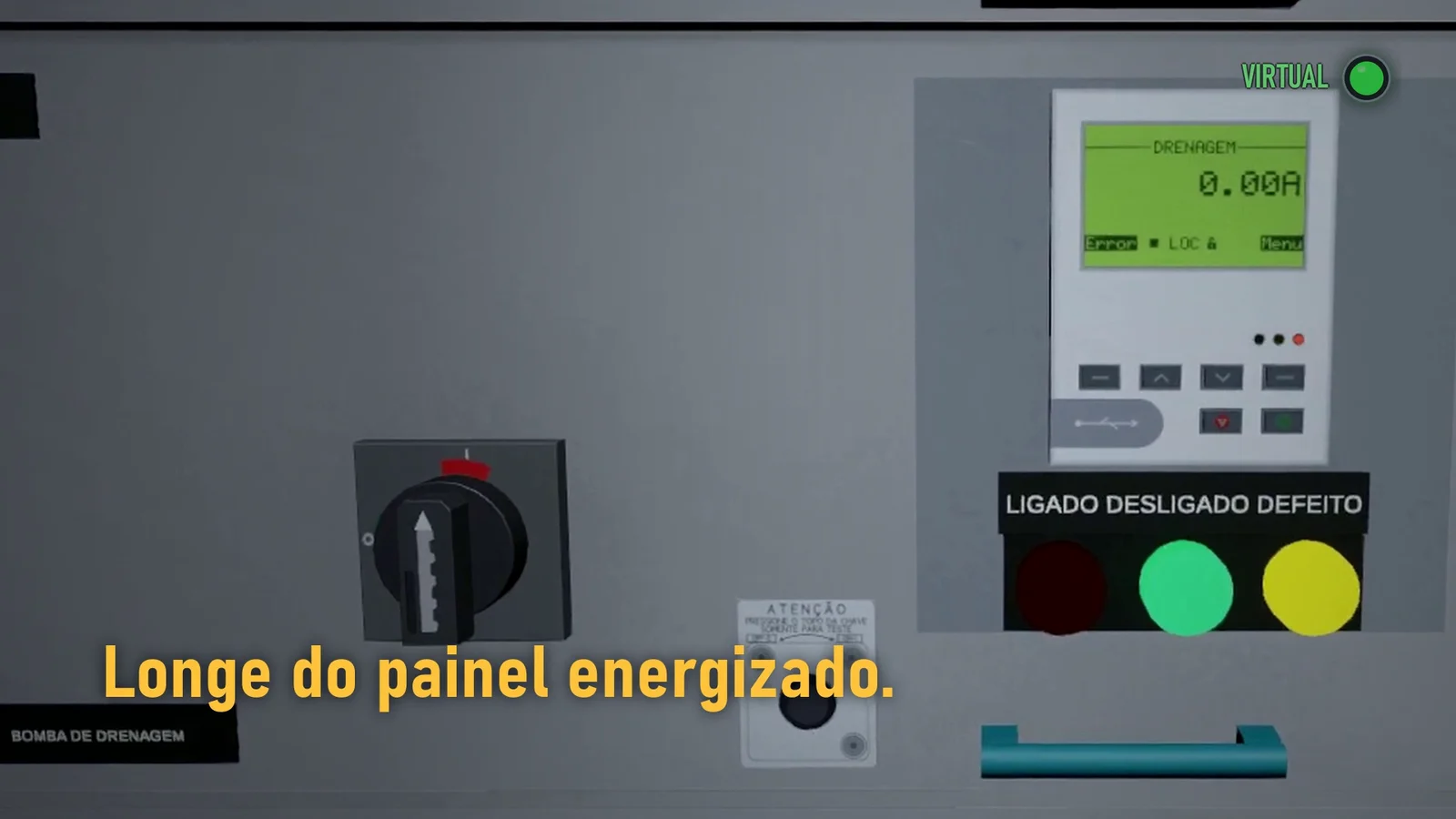
Tap outside the image to close it.
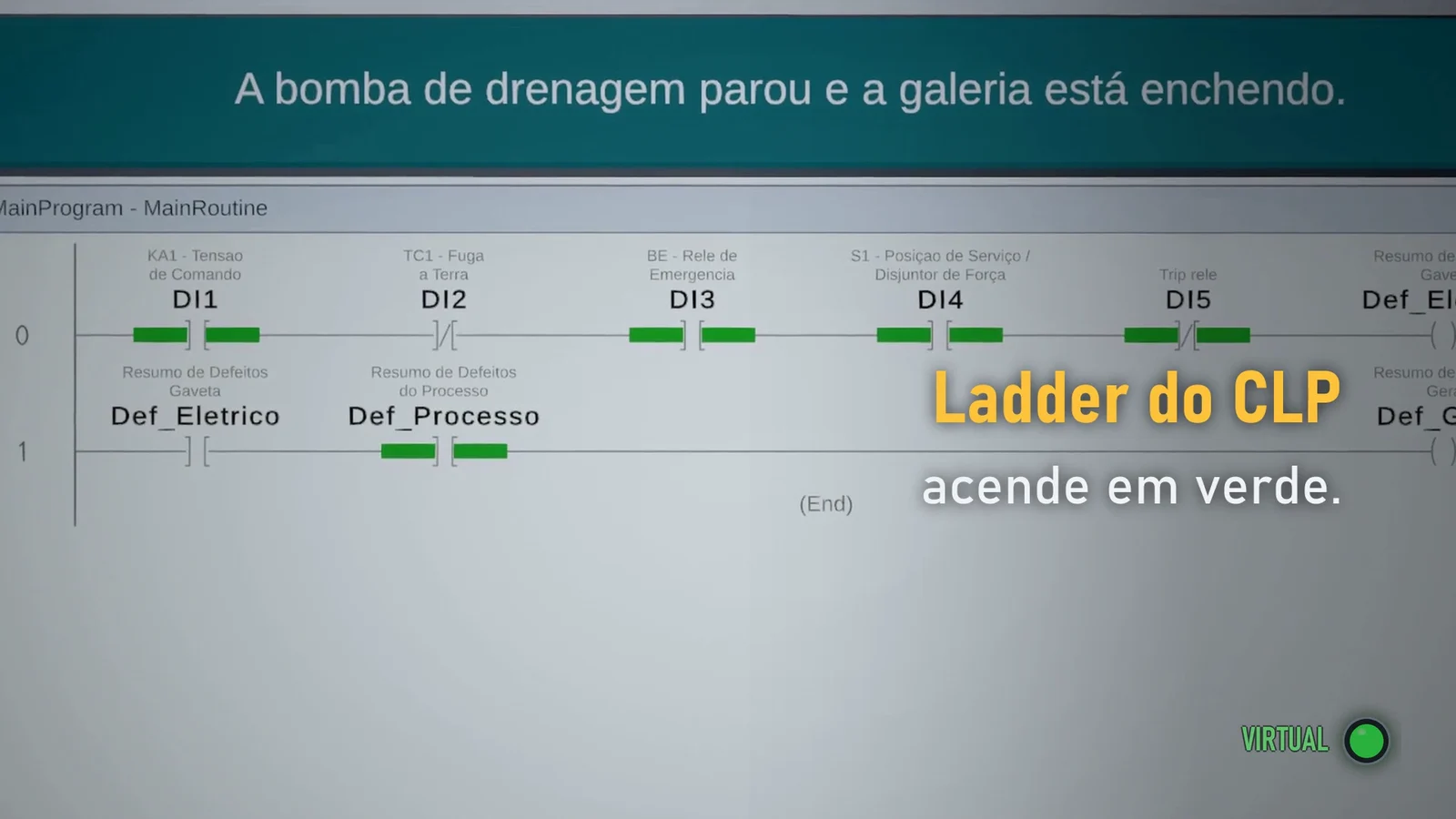
Tap outside the image to close it.
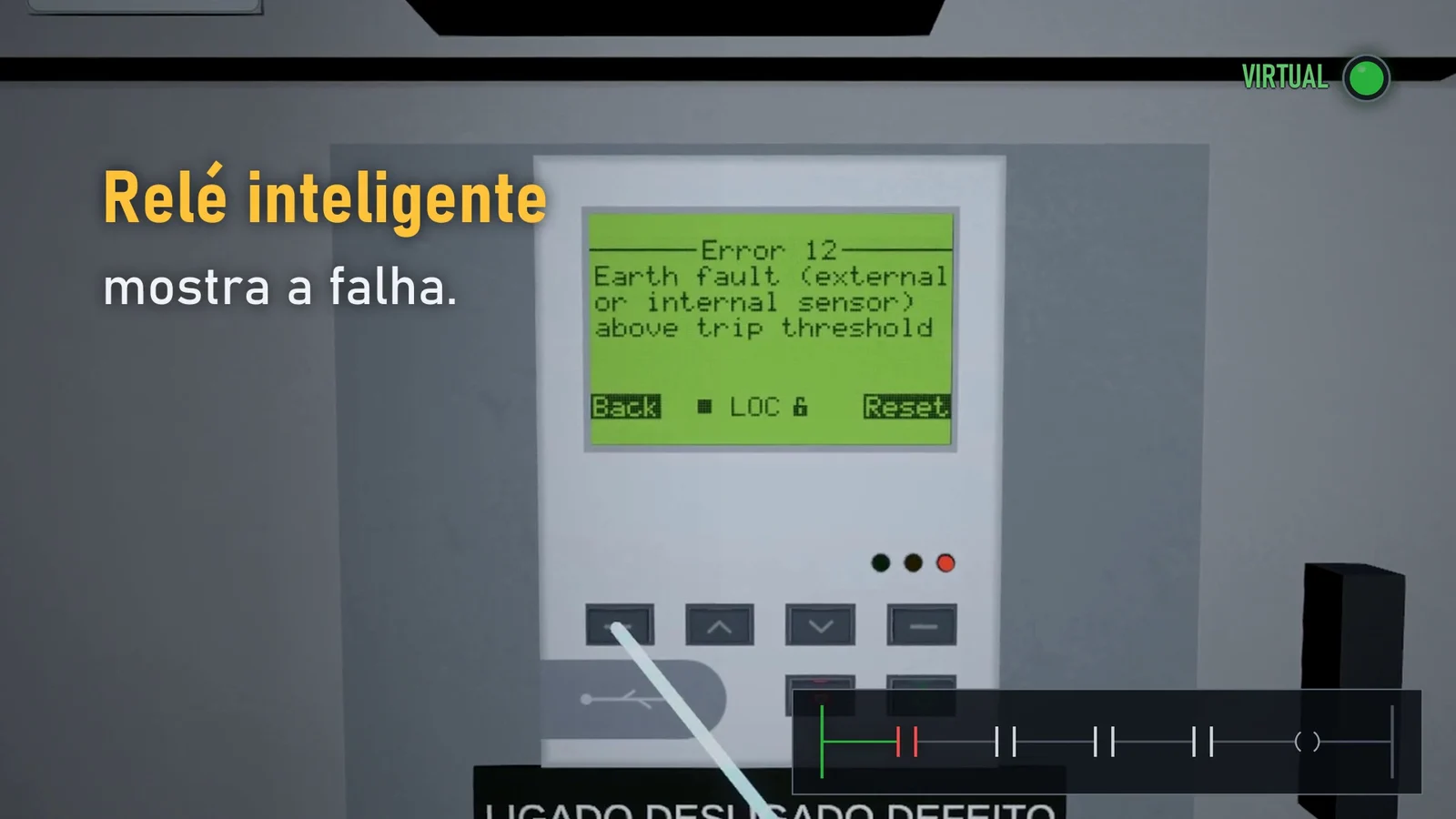
Tap outside the image to close it.
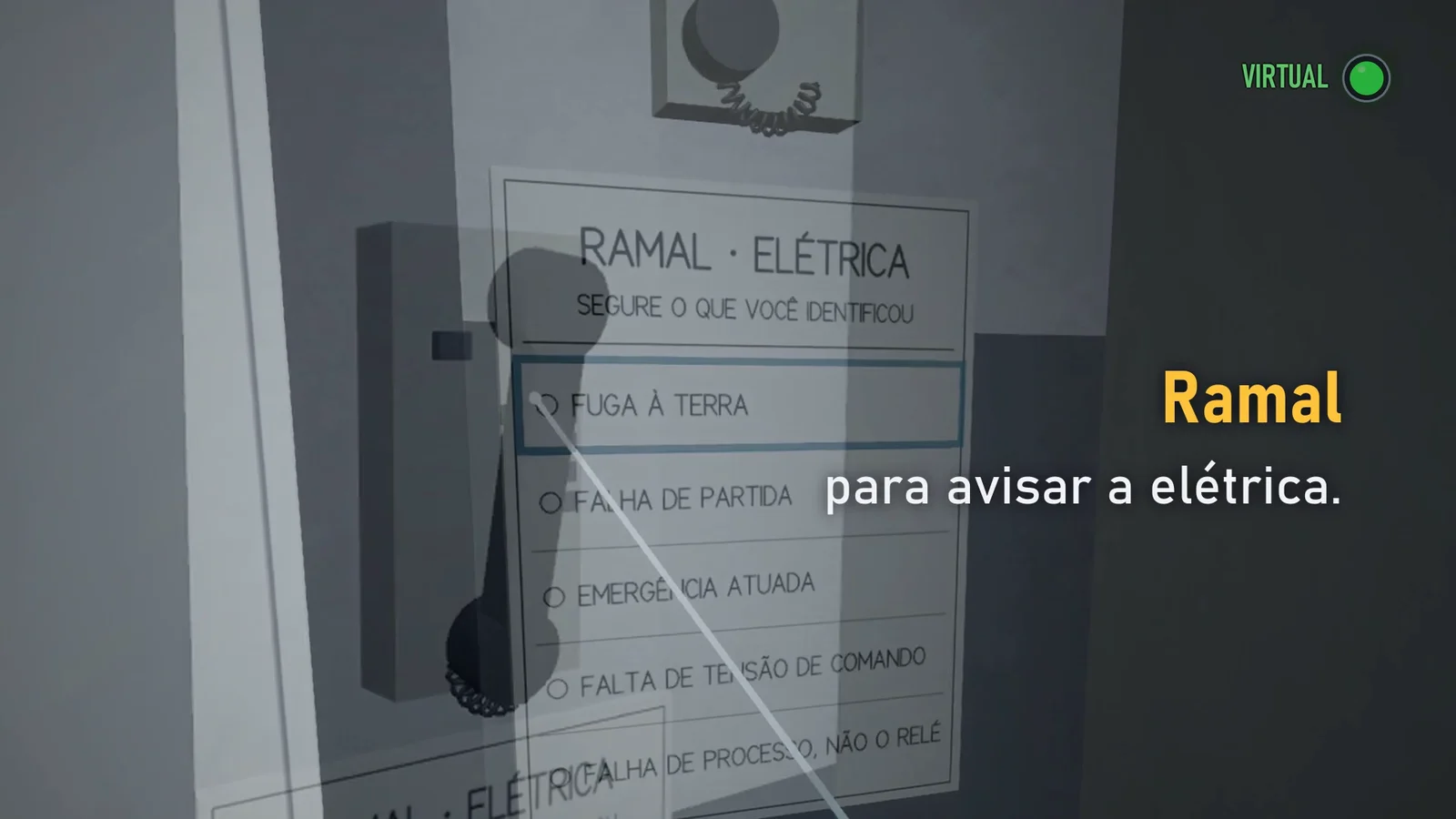
Tap outside the image to close it.
How it works
From the call to the decision, the room follows a motor's command chain: the lamp, the program, the relay and, finally, who can restart it.
- Call
The clipboard by the door holds the call; each one always restarts from the same initial state.
4 calls - Drawer
The amber lamp points to the faulty drawer in the middle of the row.
- Ladder
The wall board is the PLC screen in online mode; the first instruction without green shows the link that does not close.
CLP - Relay
The smart relay's display shows the current, the code and the fault message, as the manual writes them.
IHM do relé - Warning
Before touching anything, the trainee warns the electrical team on the phone and says what they found.
Ramal - Decision
Restart only when it is safe. On an earth fault, the right call is not to restart, and resetting is the mistake.
No timer and no score: the room records the order of the actions, for the instructor to discuss afterwards. The drawer's logic lives outside Unity, in plain C#, and goes entirely into dotnet test; the headset is left with only what the headset can judge.
Almost every cause of a drawer trip is solved by resetting; an earth fault is not. The room exists so that this reflex is corrected where a mistake carries no risk.
Decisions
Instead of: Rules scattered across the scene's components.
Cost accepted: Two layers to keep together, and the headset still needs end-to-end tests in Unity.
Instead of: Trusting the editor on the development computer, which only has an integrated GPU.
Cost accepted: 15-minute runs on the Quest over adb, and a result that still fails on isolated spikes.
Instead of: A regulatory electrical safety training.
Cost accepted: The room does not simulate an arc flash or teach a safety procedure; that is left to another kind of training.
Instead of: Copying an existing room.
Cost accepted: The proportions are estimated, not measured; the floor stripe is yellow on purpose, for the marking.
Instead of: Scoring the trainee.
Cost accepted: The result depends on the conversation with the instructor; the room does not tell on its own whether the person learned.
Instead of: An instant click.
Cost accepted: Each gesture takes longer, on purpose; the visible wait turns the gesture into a decision.
How it was built
- Sep 2026The second door
The room is born as a second door in the VR app, with the panel and the drawer's interlock logic.
- Sep 2026The teaching intent
With more experienced engineers on the script, the axis becomes clear: from the diagram to the program, with no timer and no score.
- Sep 2026The corridor
References from real rooms give look and proportion, and the room becomes a corridor between two rows of panels.
- Oct 2026The phone and the four calls
The warning to the electrical team enters the flow, the calls become four, and the room is measured on the Quest 3.
- Oct 2026The ladder and the handles
The board becomes the PLC screen, starting moves to the relay's menu, and the handles are rebuilt from photos.
I lead the project, with more experienced engineers who help with the script. The code was written with Claude Code and Codex, in batches with a specification and acceptance criteria that I define and validate.
Today and next
Today
A prototype in development, which runs only on the Meta Quest 3 and has not yet been tested with students. I have not yet measured any effect on training, such as fewer errors, lower cost or less time: this page shows what the room allows, not a measured result.
Next
- Test with the people who will use it, and measure what changes in the diagnosis.
- Measure the current version on the headset again and find the source of the frame spikes.
- Enlarge the texts that are still small in the headset.
- Taking the same idea to other hazardous equipment is a possibility, not yet a project.
The images are frames from the project's commercial. The first comes from the Quest 3 recording of September 28, 2026, of an earlier version, with the floor stripe recolored yellow in editing, as in the current project; the others are scenes rendered in the Unity editor, with a scripted camera, and the text over them is motion graphics.